

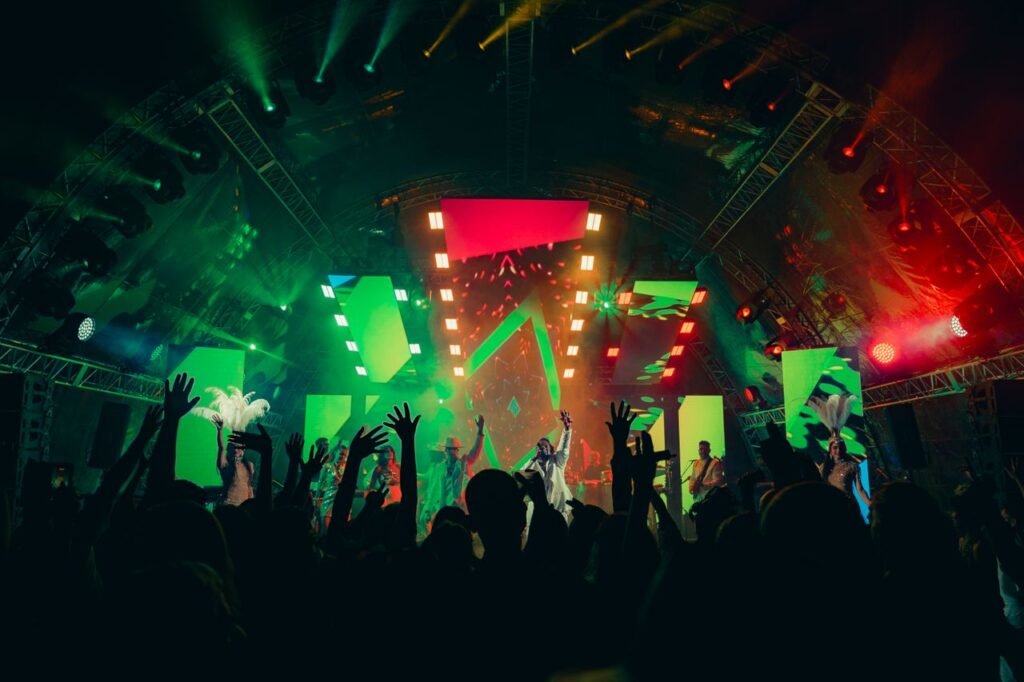
A strong agenda does not guarantee a comfortable event. Poor lighting, echoing audio, or an overly warm room can quickly drain audience attention. For this reason, event production should consider technical comfort alongside speakers, schedules, and stage design.
Energy Event understands that technical details can shape the entire attendee experience. A professional event organizer can help coordinate lighting, sound, and environmental conditions so each element supports the event rather than distracting from it.
The right balance of event lighting and sound helps audiences stay focused without making the technical setup feel intrusive.
Read more: 5 Smart Corporate Event Budget Strategies Without Compromising Quality
1. Use Functional Lighting to Support Audience Focus
Lighting affects more than the visual appearance of a venue. It can influence how easily attendees read presentation slides, observe speakers, and stay attentive throughout a long session.
Lighting that is too dim may cause visual fatigue. Meanwhile, excessive brightness can create glare on screens and make the environment uncomfortable. Therefore, lighting should be adjusted according to the purpose of each session.
Consider using different lighting levels for presentations, networking sessions, panel discussions, and breaks. This creates subtle transitions while keeping the audience visually comfortable.
2. Balance Event Lighting and Sound for Better Engagement
Lighting and sound should work together rather than being planned separately. A visually impressive stage can still feel uncomfortable if the audio is unclear or excessively loud.
Sound levels should remain strong enough for everyone to hear without creating unnecessary pressure on the ears. At the same time, lighting should keep speakers visible without creating distracting reflections or shadows.
| Technical Element | Common Issue | Audience Impact | Recommended Approach |
|---|---|---|---|
| Stage lighting | Too bright | Glare and distraction | Adjust intensity |
| Room lighting | Too dim | Visual fatigue | Maintain functional brightness |
| Microphones | Excessive volume | Hearing discomfort | Balance audio levels |
| Venue acoustics | Echo | Reduced concentration | Use proper sound control |
| Room temperature | Too warm | Sleepiness and discomfort | Maintain stable temperature |
A balanced technical environment allows attendees to focus on the content instead of noticing problems with the setup.
Read more: 5 Tips for Choosing the Right Large Meeting Venue
3. Control Audio Dynamics Throughout the Event
Audio requirements can change significantly between sessions. A keynote speaker, panel discussion, video presentation, and live performance do not require identical sound levels.
The production team should test microphones and speakers before each major segment. Wireless devices should also be checked for battery levels and interference.
However, technical quality is not only about volume. Clear speech, controlled background music, and appropriate sound transitions can make the entire event feel more polished.
4. Manage Room Temperature Alongside Technical Comfort
Temperature is often overlooked when discussing event comfort. Yet, an uncomfortable room can affect concentration even when the lighting and sound are excellent.
A room that is too warm may make attendees feel tired. Conversely, excessive air conditioning can become distracting, especially during long sessions.
Therefore, venue teams should monitor the room throughout the event. Large audiences can also change the temperature quickly, so adjustments may be necessary as attendance levels fluctuate.
Read more: Go Big, Hire and Experts: Managing Corporate Events
5. Test Event Lighting and Sound Before Guests Arrive
Technical testing should go beyond checking whether every device works. The team should experience the room from the audience’s perspective.
Walk through different seating areas and check whether the screen remains visible, speech sounds clear, and lighting feels comfortable. Test the environment during different parts of the program as well. A final rehearsal can reveal issues that are difficult to identify from the control area. Small adjustments before guests arrive can prevent major distractions once the event begins.
Ultimately, event lighting and sound should support the audience without becoming the focus of attention. When lighting, audio, and temperature work together, attendees can remain comfortable and engaged for longer.
This approach is especially valuable for full-day conferences and corporate events. A technically polished environment allows speakers to communicate more effectively while giving attendees a better overall experience.
Frequently Asked Questions (FAQ)
Lighting that is too bright or too dim can cause visual discomfort and reduce concentration. Functional lighting helps attendees see speakers and presentation materials clearly.
Poor audio can force attendees to concentrate harder to understand speakers. Clear and balanced sound reduces unnecessary listening fatigue.
Yes. Temperature directly affects physical comfort and concentration. The room should be monitored throughout the event because audience numbers can influence indoor conditions.